Our Three Step Process
March 16, 2026
Shopify vs Shopify Plus: What Changes When You Scale?
Our Three Step Process
March 16, 2026
Shopify vs Shopify Plus: What Changes When You Scale?
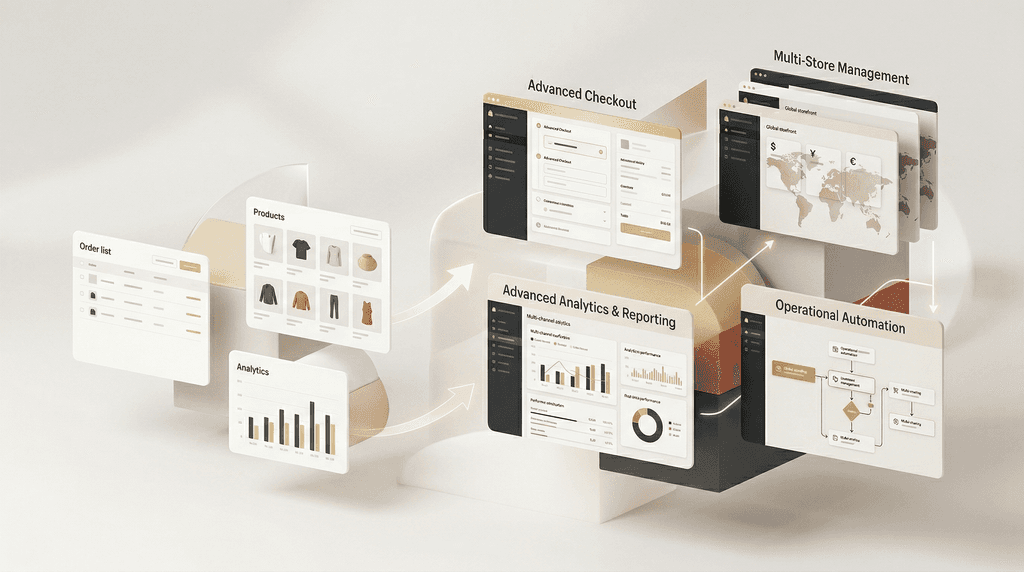
When a brand scales, the difference between Shopify and Shopify Plus is less about having “more Shopify” and more about unlocking tools for operational complexity. Shopify Plus adds deeper checkout customization, more advanced backend logic with Shopify Functions, built-in B2B capabilities, centralized management for multiple stores, more staff flexibility, and tools designed for flash sales, international expansion, and high-volume teams.
Why this question comes up
A lot of brands assume Shopify Plus is mainly about status or revenue milestones. In reality, the better question is whether your business has outgrown standard workflows. If your brand needs custom checkout behavior, wholesale selling, multiple localized stores, more advanced permissions, higher API limits, or event-driven launches at scale, then Shopify Plus starts to become more relevant. Shopify positions Plus around those exact scaling needs.
How to evaluate it
1. Look at checkout complexity
If your brand needs more flexible checkout logic, promotions, or a more customized checkout experience, Shopify Plus becomes much more relevant. Shopify says Plus enables advanced checkout customization and deeper flexibility through Shopify Functions and app-based logic.
2. Consider whether you’re running B2B alongside D2C
If you’re serving wholesale customers as well as D2C buyers, Plus matters more. Shopify highlights built-in B2B features for custom pricing, publishing, quantity rules, and payment terms—all managed within Shopify.
3. Check if multi-store management is becoming messy
As brands expand internationally or operate multiple storefronts, operational overhead rises fast. Shopify says Plus includes organization settings for managing multiple stores together and expansion stores for localized content, currencies, or regions.
4. Think about launches, drops, and peak moments
If your business relies on flash sales, product drops, or big campaign events, Plus offers tools like Launchpad, higher capacity for peak periods, and bot protection designed for that kind of pressure.
5. Ask whether your team and systems are outgrowing the plan
Shopify Plus also becomes more useful when you have a bigger team, more systems to connect, and more sophisticated reporting needs. Shopify highlights unlimited staff accounts with permissions, deeper data analysis tools, and higher API limits for growing technical stacks.
Real example
A good way to think about this is through VulgrCo’s migration story. Their problem wasn’t just platform ownership—it was the need for a better product experience, better catalogue structure, more brand control, and a system built around how customers actually buy. That same logic applies to Shopify Plus decisions. Brands usually don’t need Plus because revenue alone went up. They need it when complexity, customization, operations, or scale start limiting what the store can do.
Common mistakes to avoid
A common mistake is upgrading too early just because a brand hit a revenue milestone. Another is waiting too long while the team struggles with workarounds, disconnected stores, or checkout limits. Brands also confuse “we want a nicer design” with “we need Shopify Plus.” Design alone usually isn’t the reason. Operational complexity is. Shopify’s own positioning around Plus is tied to scale, customization, B2B, international growth, and event-heavy commerce.
Quick checklist
Do you need advanced checkout customization?
Are you running both D2C and wholesale/B2B?
Are you managing multiple storefronts or regions?
Are launches or flash-sale events becoming operationally complex?
Is your team large enough to need better permissions and workflows?
Are API or integration limits creating friction?
Do you need more advanced backend logic than your current setup allows?
Are workarounds starting to cost time and money? Source
FAQs
Is Shopify Plus only for enterprise brands?
Not strictly. It becomes relevant when a brand’s complexity grows—especially around checkout, B2B, international expansion, integrations, and launch operations.
Does every $3M+ brand need Shopify Plus?
No. Revenue alone is not the best trigger. The better trigger is operational and technical complexity.
What is usually the first real reason to upgrade?
For many scaling brands, it’s one of these: checkout customization, multi-store needs, B2B requirements, or more advanced systems and permissions.
Closing takeaway
Shopify Plus makes sense when the business is no longer simple. If your store needs more control, more systems, more flexibility, or more scale than standard workflows can comfortably support, Plus becomes a business decision—not a vanity upgrade.
If you’re unsure whether your brand actually needs Shopify Plus or just needs a better Shopify setup, Flaxen can help audit the business case, the technical requirements, and the growth roadmap before you upgrade.
When a brand scales, the difference between Shopify and Shopify Plus is less about having “more Shopify” and more about unlocking tools for operational complexity. Shopify Plus adds deeper checkout customization, more advanced backend logic with Shopify Functions, built-in B2B capabilities, centralized management for multiple stores, more staff flexibility, and tools designed for flash sales, international expansion, and high-volume teams.
Why this question comes up
A lot of brands assume Shopify Plus is mainly about status or revenue milestones. In reality, the better question is whether your business has outgrown standard workflows. If your brand needs custom checkout behavior, wholesale selling, multiple localized stores, more advanced permissions, higher API limits, or event-driven launches at scale, then Shopify Plus starts to become more relevant. Shopify positions Plus around those exact scaling needs.
How to evaluate it
1. Look at checkout complexity
If your brand needs more flexible checkout logic, promotions, or a more customized checkout experience, Shopify Plus becomes much more relevant. Shopify says Plus enables advanced checkout customization and deeper flexibility through Shopify Functions and app-based logic.
2. Consider whether you’re running B2B alongside D2C
If you’re serving wholesale customers as well as D2C buyers, Plus matters more. Shopify highlights built-in B2B features for custom pricing, publishing, quantity rules, and payment terms—all managed within Shopify.
3. Check if multi-store management is becoming messy
As brands expand internationally or operate multiple storefronts, operational overhead rises fast. Shopify says Plus includes organization settings for managing multiple stores together and expansion stores for localized content, currencies, or regions.
4. Think about launches, drops, and peak moments
If your business relies on flash sales, product drops, or big campaign events, Plus offers tools like Launchpad, higher capacity for peak periods, and bot protection designed for that kind of pressure.
5. Ask whether your team and systems are outgrowing the plan
Shopify Plus also becomes more useful when you have a bigger team, more systems to connect, and more sophisticated reporting needs. Shopify highlights unlimited staff accounts with permissions, deeper data analysis tools, and higher API limits for growing technical stacks.
Real example
A good way to think about this is through VulgrCo’s migration story. Their problem wasn’t just platform ownership—it was the need for a better product experience, better catalogue structure, more brand control, and a system built around how customers actually buy. That same logic applies to Shopify Plus decisions. Brands usually don’t need Plus because revenue alone went up. They need it when complexity, customization, operations, or scale start limiting what the store can do.
Common mistakes to avoid
A common mistake is upgrading too early just because a brand hit a revenue milestone. Another is waiting too long while the team struggles with workarounds, disconnected stores, or checkout limits. Brands also confuse “we want a nicer design” with “we need Shopify Plus.” Design alone usually isn’t the reason. Operational complexity is. Shopify’s own positioning around Plus is tied to scale, customization, B2B, international growth, and event-heavy commerce.
Quick checklist
Do you need advanced checkout customization?
Are you running both D2C and wholesale/B2B?
Are you managing multiple storefronts or regions?
Are launches or flash-sale events becoming operationally complex?
Is your team large enough to need better permissions and workflows?
Are API or integration limits creating friction?
Do you need more advanced backend logic than your current setup allows?
Are workarounds starting to cost time and money? Source
FAQs
Is Shopify Plus only for enterprise brands?
Not strictly. It becomes relevant when a brand’s complexity grows—especially around checkout, B2B, international expansion, integrations, and launch operations.
Does every $3M+ brand need Shopify Plus?
No. Revenue alone is not the best trigger. The better trigger is operational and technical complexity.
What is usually the first real reason to upgrade?
For many scaling brands, it’s one of these: checkout customization, multi-store needs, B2B requirements, or more advanced systems and permissions.
Closing takeaway
Shopify Plus makes sense when the business is no longer simple. If your store needs more control, more systems, more flexibility, or more scale than standard workflows can comfortably support, Plus becomes a business decision—not a vanity upgrade.
If you’re unsure whether your brand actually needs Shopify Plus or just needs a better Shopify setup, Flaxen can help audit the business case, the technical requirements, and the growth roadmap before you upgrade.
Other Blogs
Other Blogs
Check our other project Blogs with useful insight and information for your businesses



Other Blogs
Other Blogs
Check our other project Blogs with useful insight and information for your businesses